As a customer experience researcher, I spend a lot of time looking at what frustrates people. Usually, companies worry about things like a confusing checkout button or a messy navigation menu. But when we talk about accessibility, friction is more than just annoying. It actively blocks people from participating.
That is exactly why a recent BBC story about a new multiline braille workstation caught my eye.
This device is a complete rethink of how blind and visually impaired people interact with complex information. From a design perspective, it is a masterclass in listening to users, and it holds some incredible lessons for anyone building products right now.
The Cognitive Load of Single-Line Interfaces
To understand why this new workstation is such a big deal for science and math, we have to look at what people are forced to use right now.
For a long time, electronic braille displays have only shown one line of text at a time. If you are reading a novel, that works out okay. But try to imagine figuring out a complex algebra problem, reading a bar chart, or writing computer code through a single-line ticker tape.
The mental energy it takes to hold all that spatial information in your head while reading one line at a time is massive. It is a perfect example of a bad interface creating huge barriers and artificially limiting what people can do.
Shifting to a Spatial UX Paradigm
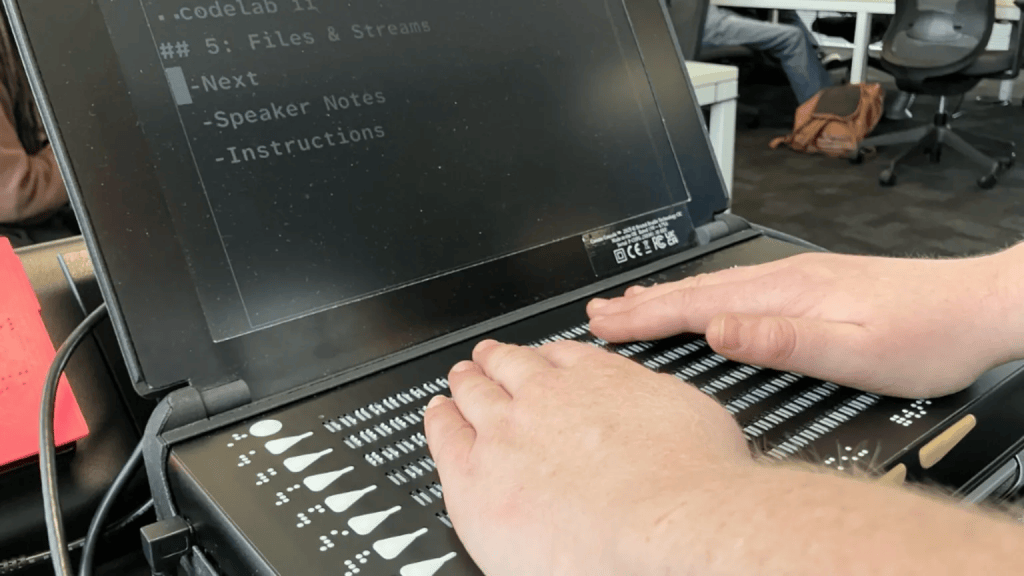
The new device changes the game entirely by offering a full page of braille with nine lines and 360 cells.
By expanding the experience from a single line to a full page, users can finally read paragraphs, data tables, sheet music, and diagrams all in context. As one blind university lecturer explained to the BBC, getting this kind of physical, spatial awareness removes massive roadblocks for anyone studying or working in technical fields.
3 CX Lessons from the Canute Scientific
When we look at how this workstation was actually brought to life, three really great design lessons stand out:
- They co-created it with the community. The creators did not just build a device in a vacuum. They worked directly with a foundation of braille readers and listened to feedback from everyone from kids to data analysts. They made sure they were solving real problems instead of just guessing what people needed.
- They designed for teamwork. One of my favorite features is the built-in screen that mirrors the braille output. This means a sighted teacher or lab partner can easily follow along on the screen while the blind user reads the braille. True inclusive design does not isolate people in special modes. It builds bridges so everyone can work together.
- They empowered users. Instead of locking the software down, the workstation is built on a simple, open computer setup with plenty of ports. Users can plug directly into laboratory equipment and get physical readouts of the data. It treats the user like an active scientist rather than just a passive consumer.
The Takeaway
Accessibility should never be a compliance checklist we tack on at the very end of a project; it is the ultimate test of our empathy and creativity as designers. This braille reader proves that when we remove the friction blocking people from accessing information, we open up entirely new worlds of possibility.


Leave a Reply